CAD automation helps companies save time by eliminating repetitive tasks in design workflows. But its applications go far beyond design practices. Discover how businesses can automate cost estimation, manufacturing preparation, and the processing of technical drawings.
Who and why should automate CAD-related processes?
CAD automation is most commonly associated with automating design processes – using algorithms, scripts, and plugins to streamline repetitive activities performed by architects and engineers. These design tasks can include drawing repetitive elements, adjusting product dimensions and attributes, or automatically placing components within a project.
However, reduction of manual design is just one aspect of the more complex topic of CAD automation. That's because CAD is also widely used by construction companies that need to estimate project costs, manufacturers that prepare technical documentation, and 3D printing companies that must process design data before production. In all these cases, CAD automation can go far beyond creating or modifying designs. It can help businesses extract and process data, generate documentation, prepare cost estimates, and transfer information seamlessly between design, engineering, and production systems.
4 CAD workflows that can be streamlined with automation
Here are four examples of time-saving CAD automations:
1. CAD Design automation
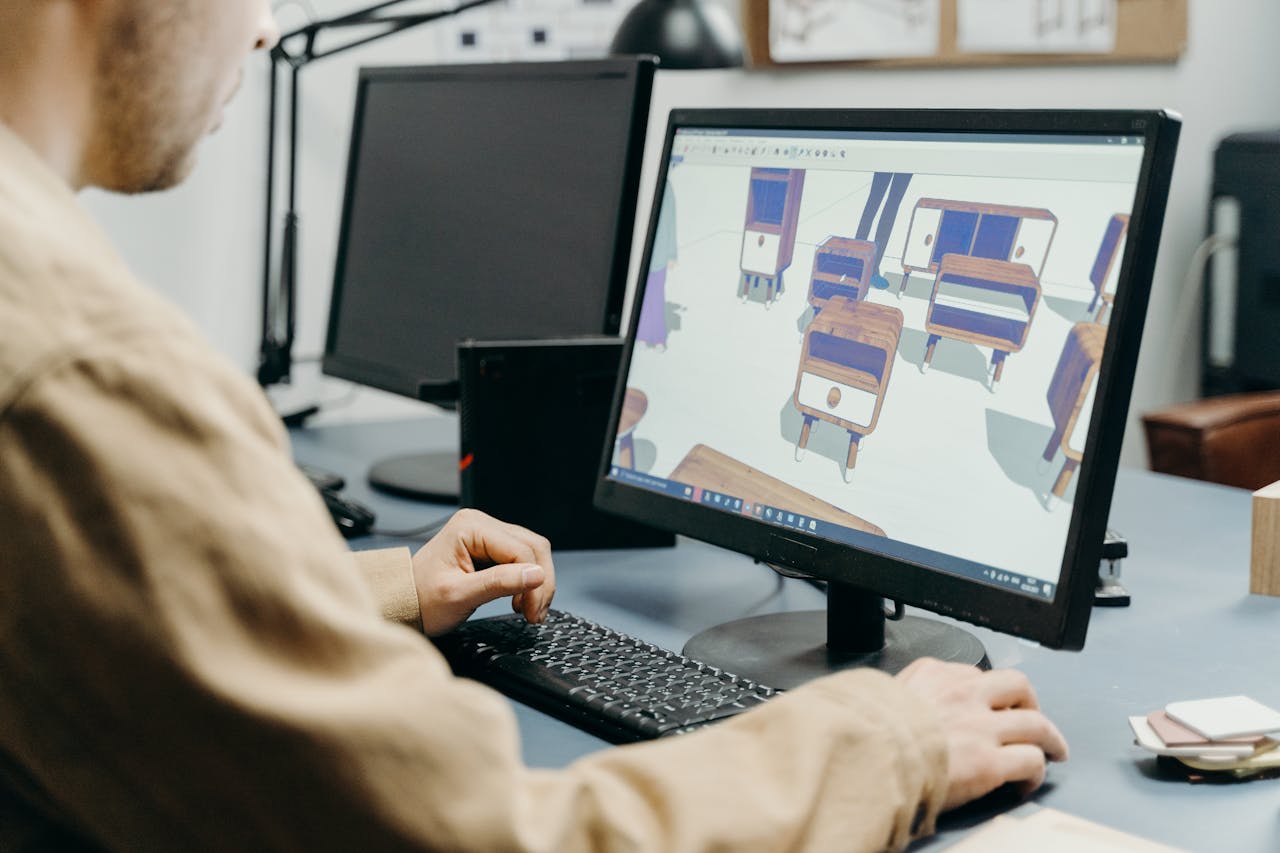
As mentioned earlier, one of the most obvious applications of CAD automation is enhancing the design process itself. Architects and engineers working with CAD tools such as SolidWorks or Autodesk AutoCAD often spend a significant amount of time on repetitive tasks that don't necessarily require their direct involvement.
With properly implemented automation, often developed through custom plugins integrated with CAD software, many of these tasks can be performed automatically. This includes selecting materials, adjusting dimensions, placing components within AutoCAD drawings and generating bills of materials (BOMs).
Instead of manually performing the same operations for every project, architects and engineers can automate entire sequences of actions, from creating an initial draft to preparing detailed design documentation. As a result, they can significantly reduce design time, minimize human errors, and focus on more complex aspects of their projects.
2. Preparing manufacturing processes
Another group of companies that can benefit from CAD automation is manufacturers that design products before they enter production. In their case, automation can go beyond the design process itself, connecting it with other business operations, such as receiving customer orders, preparing quotations, calculating production costs, or checking material availability.
For example, when a customer orders a customized product, the manufacturer needs to configure it according to specific requirements, determine the necessary materials, estimate costs, and plan production. Instead of handling these tasks separately, manufacturers can connect them through automated workflows. Based on product design data, the system can generate bills of materials (BOMs), check inventory levels, calculate manufacturing costs, and prepare technical documentation. This allows companies to plan much of the manufacturing process before production even begins.
This approach is particularly valuable for manufacturers of complex products, where changes in dimensions, materials, or configurations can significantly affect production requirements and costs.
An increasingly popular solution in this area is CPQ (Configure, Price, Quote) software, which helps manufacturers quickly adjust products, calculate prices, and generate customer quotations.
When integrated with CAD systems through a Web-to-CAD process, CPQ configurators can go a step further, connecting the business side of product customization directly with engineering and manufacturing. Customers can select product dimensions, materials, features, and other options through a web-based configurator. Based on these selections, the system can automatically generate or adjusts the product's CAD geometry and generates the technical files required for manufacturing. In this way, CPQ and Web-to-CAD automation bridge the gap between sales, engineering, and manufacturing, transforming customer requirements into production-ready technical data.
Implement CAD automation with us – fill out the contact form and book free online consultation with our specialist.
Another application of CAD automation is converting traditional 2D drawings or generic design models into BIM (Building Information Modeling) projects. This is particularly useful for building product manufacturers that receive architectural drawings from customers and need to prepare technical solutions or accurate product quotations based on them.
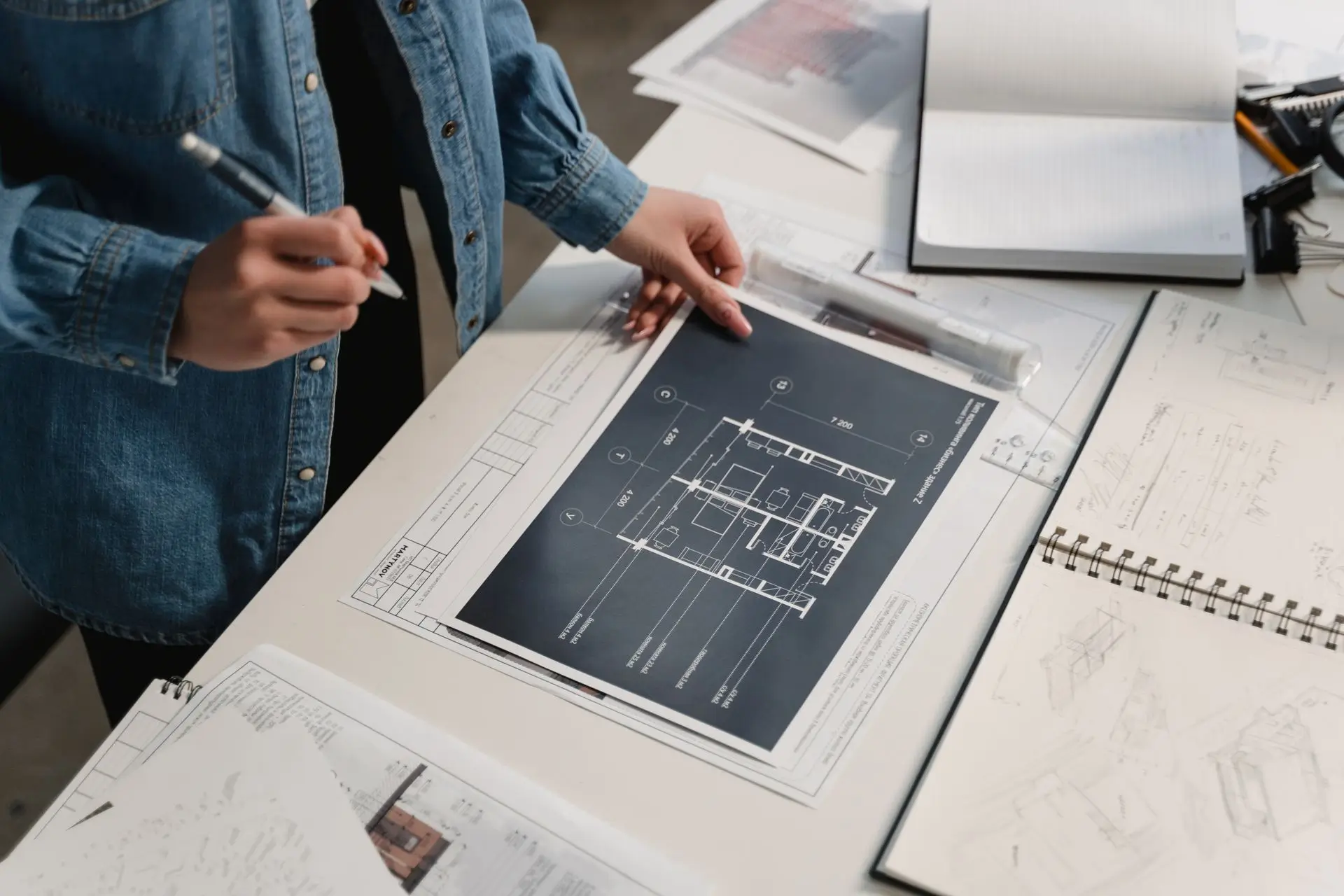
For example, an architect may provide a manufacturer with a 2D floor plan or a generic CAD model showing where specific building components should be installed. However, to prepare a detailed quotation or production-ready documentation, the manufacturer may need to replace these generic elements with actual products from its own BIM libraries, containing relevant engineering specifications, dimensions, materials, and commercial information.
Instead of manually recreating or replacing each element, manufacturers can use automated CAD to BIM conversion workflows to identify components in the original design and match them with corresponding BIM objects from their product libraries. Depending on the available design data, the system can also populate models with additional technical and sales-related parameters.
This type of automation helps manufacturers significantly reduce repetitive modeling tasks and accelerate the quotation process. Beyond the immediate time-saving benefits, it also improves consistency between architectural designs and manufacturer-specific product specifications, allowing engineering and sales teams to work with more accurate, structured project data.
4. Making CAD data automatically accessible to non-technical users
CAD automation can also make technical drawings and design data accessible to employees who don't use CAD software in their daily work. Many business processes require access to floor plans, technical layouts, or project documentation, even when the people involved have no experience with tools like AutoCAD.
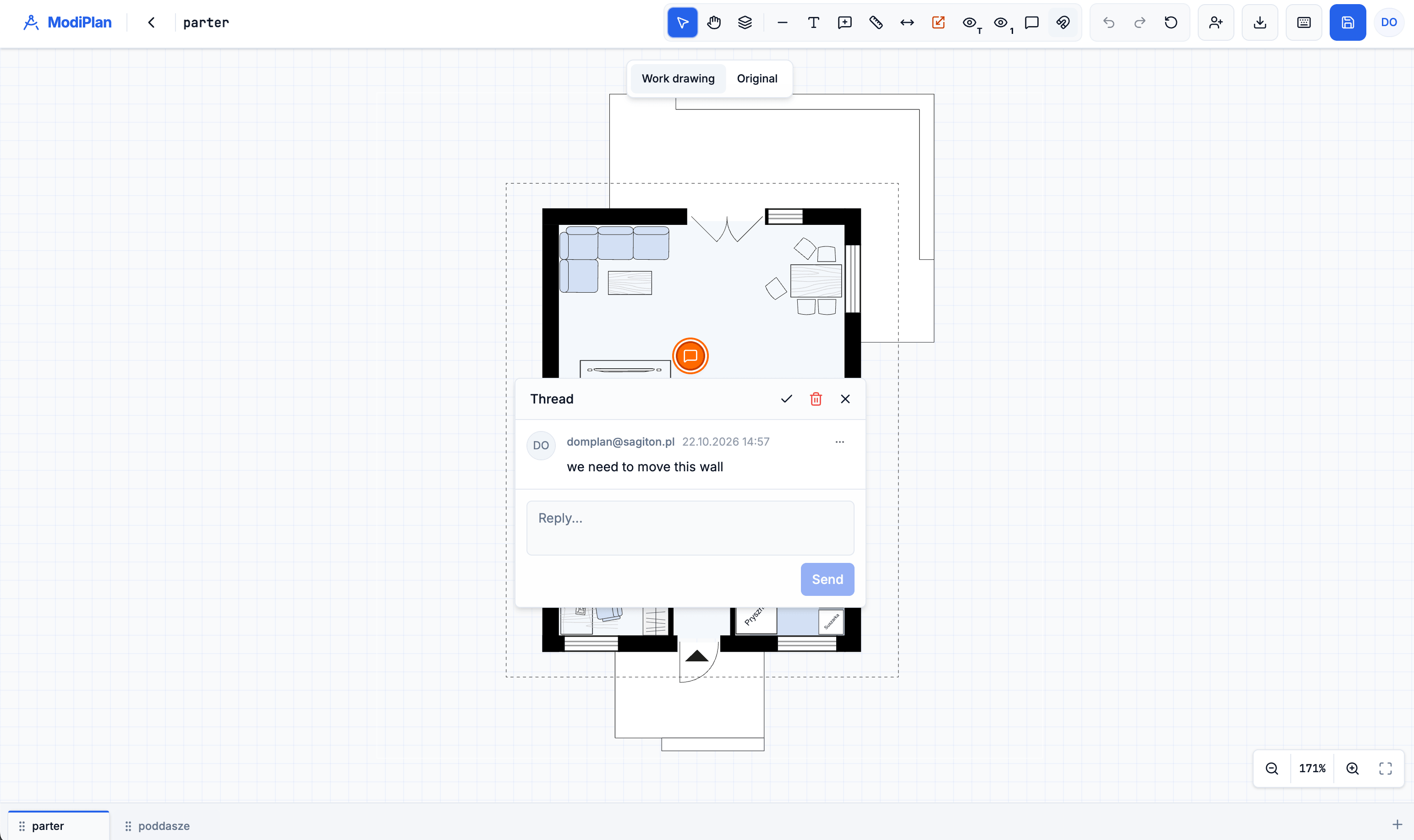
With custom web applications integrated with CAD workflows, companies can give non-technical users access to drawings directly in their browsers. Employees can view floor plans, add comments, suggest modifications, and collaborate with designers without installing or learning complex software.
This approach makes CAD data useful across different departments, improves communication, and reduces the time engineers spend handling simple requests.
ModiPlan – making architectural drawings easier to collaborate on
One example of this approach is ModiPlan, a web application which we developed to simplify collaboration on house design projects. The platform brings architects, designers, and investors together in a shared workspace where they can review floor plans, discuss ideas, and coordinate changes. The main challenge was managing feedback scattered across emails, printed drawings, and multiple project versions. Comments were often difficult to associate with specific parts of a floor plan, making communication and coordination unnecessarily time-consuming.
ModiPlan addresses these challenges by allowing users to add comments directly to specific locations on drawings, review project variants, and discuss proposed changes in one place. Once the design is agreed upon, project materials can be exported in SVG, PDF, and DXF formats for further work.
By bringing CAD-based drawings into an accessible web environment, ModiPlan enables people without CAD expertise to actively participate in the design process while making collaboration with technical teams more efficient
Example of automated CAD system: CAD Calc
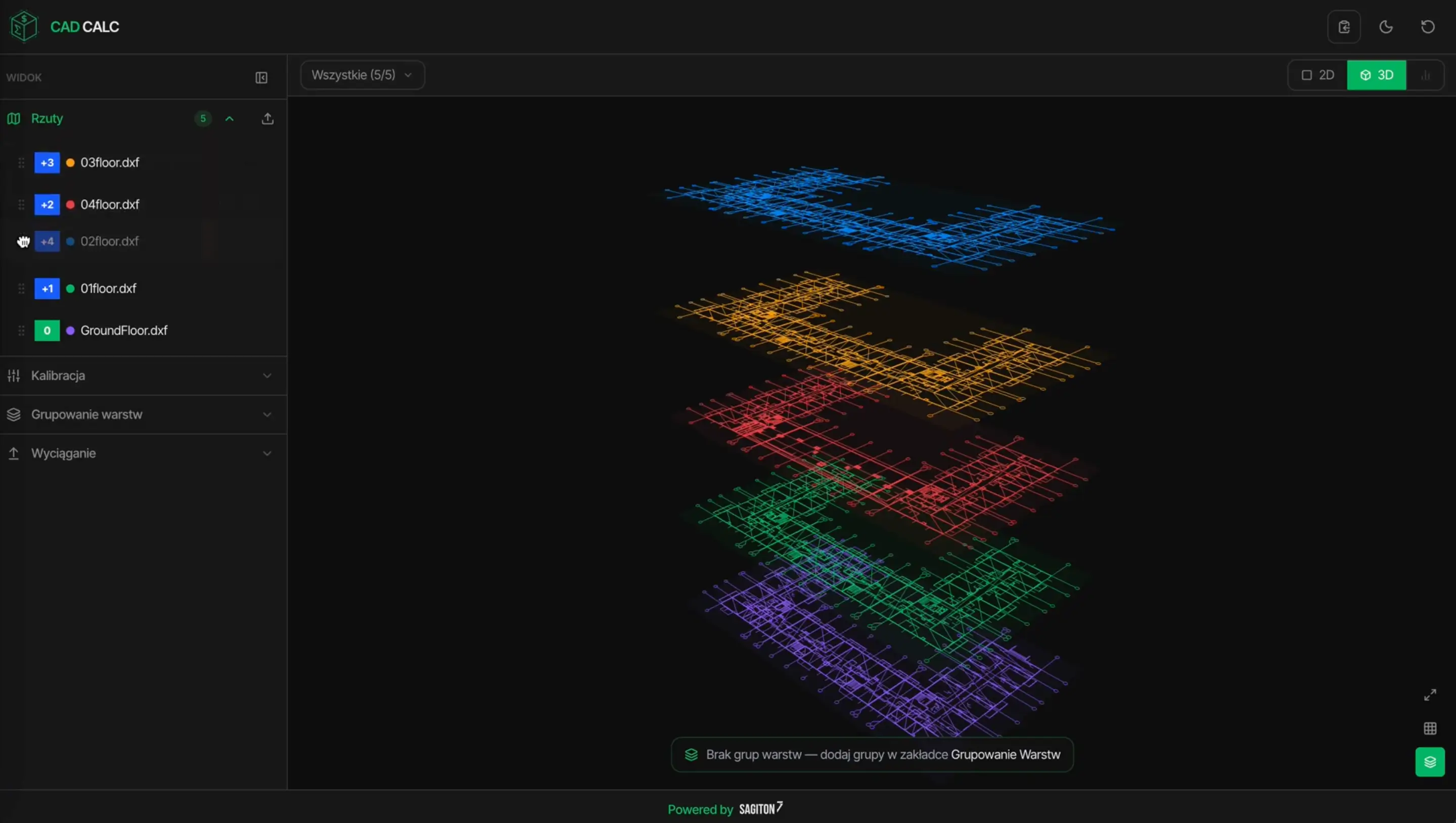
How does CAD automation work in practice? One example is CAD Calc – an application we developed for a client looking to streamline the preparation of construction cost estimates. The client needed a system that could integrate the analysis of architectural drawings, primarily DXF files, with quantity takeoffs and comparisons against investor-provided cost estimates. Since most quotations were based on floor plans supplied as CAD files or scanned drawings, the process previously required significant manual work.
To address these challenges, we developed a solution that automatically analyzes imported drawings, calibrates floor plans, and groups drawing layers to ensure consistent project data. The application then converts 2D drawings into simplified 3D models and extracts the dimensions and quantities needed for cost calculations.
This automation enables the system to generate quantity takeoffs, compare calculated values with investor estimates, and prepare customer quotations with minimal manual input. As a result, CAD Calc helps reduce errors, accelerate cost estimation, and significantly shorten the time needed to turn architectural drawings into ready-to-send offers.
Summing up – why you should automate your CAD processes?
CAD automation solutions not only speed up design workflows but also help reduce human errors that can occur during manual drafting, measurements, or data entry. By automating repetitive tasks, companies can improve accuracy, maintain consistency across projects, and allow engineers and designers to focus on more complex activities.
It's also worth remembering that CAD platforms can be integrated with other business processes. As we've shown in the manufacturing example, automation can connect design activities with cost estimation, inventory management, quotation preparation, and production planning. This way, companies can improve not just individual design tasks, but entire workflows across different departments.
Join our newsletter
Subscribe and receive additional content, checklists and business automation tips from us.
Thank you for subscribing to our newsletter!
You will soon receive a welcome message at the email address you provided.
Oops! Something went wrong, failed to send the form.
Looking for CAD automation services? Contact us
At Sagiton Automation, we help AEC companies and manufactuerers reclaim valuable time and resources by using the latest technologies. If you want to implement CAD automation for your engineering teams contact us and book free consultation with our specialist.
Automation in BIM Plugins for Autodesk Revit – Solutions for AEC manufacturers
Is your company looking to invest in a custom Revit plugin? Read our article to learn what process automations can be implemented in Revit.
Read more
Business automation
17.08.2026
bim-automation
What is BIM Automation? Tools & Revit Workflows Examples
BIM (Building Information Modeling) is one of the most important technologies in the AEC industry but unfortunately many companies still treat it as burden. Meanwhile with proper BIM automation your BIM-related processes can run smoothly and even improve your company's efficiency.
Read more
Business automation
07.07.2026
revit-automations-for-architects
Automation of Processes in Revit – 7 Revit Enhancements for Architects
In this article, we demonstrate valuable Revit automations for architects to implement, helping to accelerate daily tasks, reduce the risk of errors, and improve model data management.
Read more
Contact us!
Select the topic you are interested in in the form and our specialist will contact you within 24 working hours.
Thank you for contacting us!
Your message has been successfully sent. We will reply as soon as possible.
Oops! Something went wrong, failed to send the form.