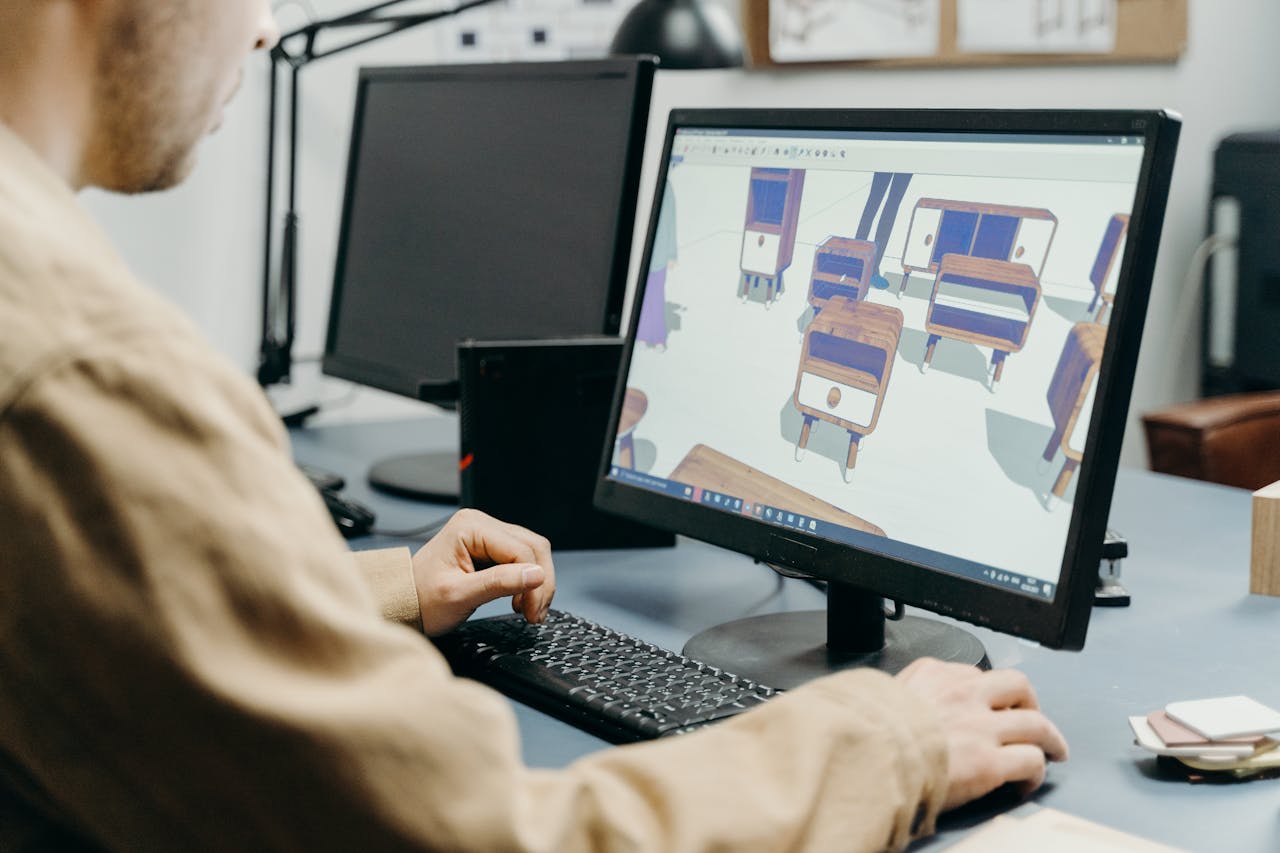
Despite its advanced functionality, Revit does not always fully meet the specific needs of companies operating in the AEC (Architecture, Engineering, Construction) industry. The software was designed as a universal tool, which is why it works very well in standard, repetitive design processes. In practice, however, many organizations – both design firms and building materials manufacturers – operate using non-standard solutions and BIM workflows that require a more tailored approach.
For manufacturers, a particular challenge is mapping the specific characteristics of their products within the design tool. These are often complex, non-standard solutions or ones that are difficult to configure using native tools. Dedicated plugins or Revit automation scripts (e.g., those using Dynamo) simplify this process and allow the design environment to be tailored to specific requirements of their products. This makes the products easier for architects to use, which directly increases their chances of being used in projects.
A similar need arises in design offices, where repetitive tasks – often carried out using components from many different manufacturers – can significantly burden the team’s workload. When available tools do not offer sufficient support (there is no custom plugins from manufacturers), companies decide to create their own design automation solutions. These may include, among other things, automatic routing of installations, creation of documentation, or BIM model validation. As a result, automation in Revit not only speeds up work but also reduces the risk of errors and standardizes project delivery.
In this article, however, we will focus on specific examples of Revit process automation that can be implemented in BIM software for manufacturers.
Examples of Revit automation for AEC manufacturers
As we’ve already mentioned, building materials manufacturers primarily develop their own Revit plugins simply to boost sales of their products. By providing these tools to architects, manufacturers encourage them to adopt their solutions. Consequently, a manufacturer’s BIM files are more likely to be included in project documentation, which directly translates to their use in construction.
However, this is not the only benefit. Like design firms, manufacturers can use Revit plugins to automate internal processes. This applies, among other things, to the work of sales departments, technical support, and customer service. Such automated workflows help reduce the number of repetitive tasks, increase productivity of salespeople, and streamline communication with designers. You’ll learn more about the improvements in plugins for Revit in the following sections.
Integrating BIM Libraries with plugins for Revit
More and more manufacturers are recognizing how crucial it is for sales performance to make 3D models and BIM libraries of their products available. In practice, however, this is often done in a limited way – through static files posted on a website that users must manually download and import into Revit models.
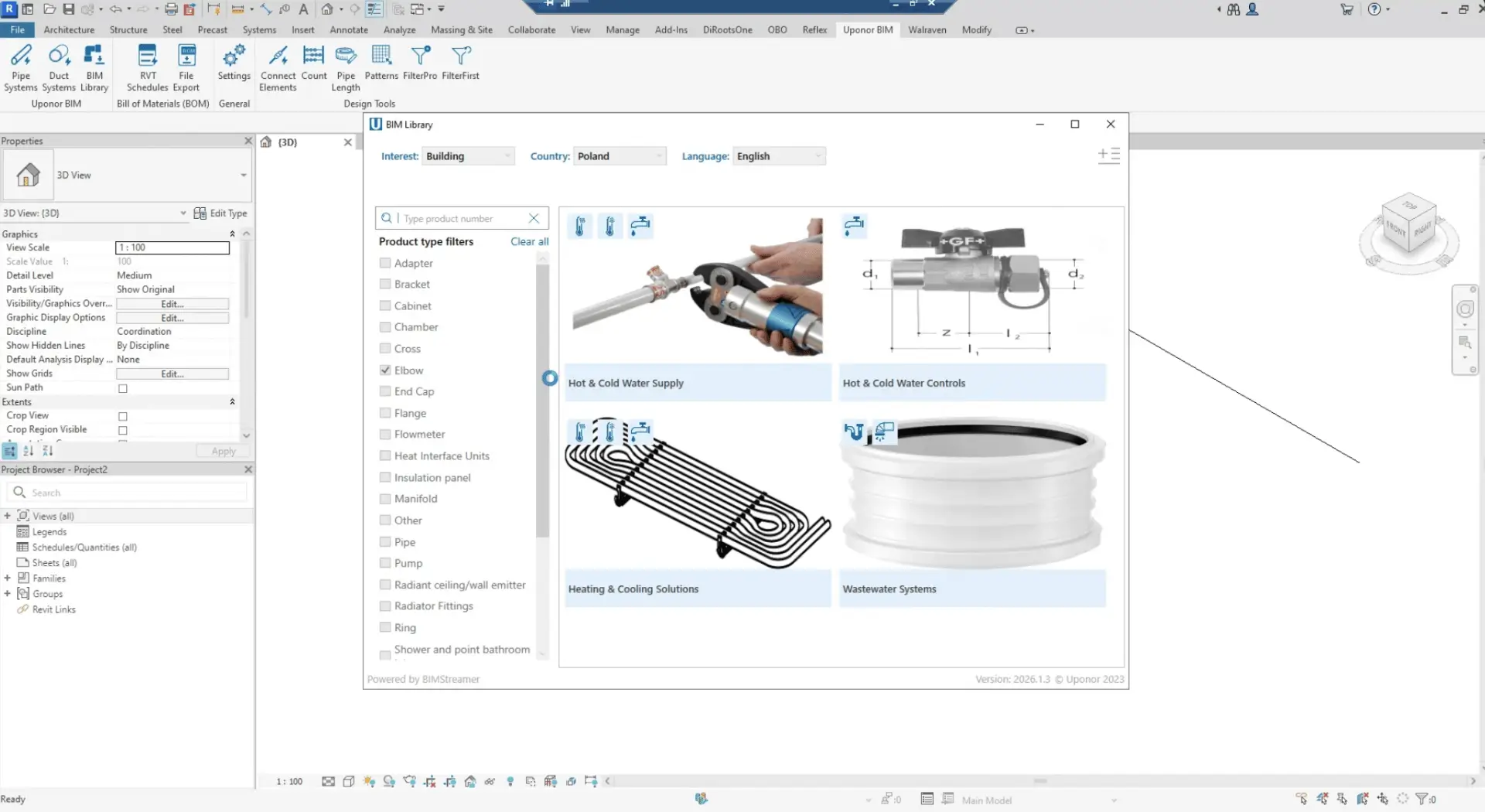
Meanwhile, a much more advanced solution is possible – creating a dedicated add-in that integrates the product library directly with designing software. This gives architects access to an up-to-date BIM object database without having to leave the design environment. There is no need to download ZIP files or import them manually – simply launch the plugin and easily add the selected element to the project via drag-and-drop.
This approach not only significantly improves architects’ workflow and saves time, but also gives the manufacturer greater control over the distribution and up-to-date status of their BIM libraries.
One of our clients, Uponor, uses a Revit BIM plugin with this kind of integration.
Revit automation tools – product systems configurators
If your product portfolio includes installations or product systems, it’s worth enabling their configuration directly within Autodesk Revit. Configurators in plugin for Revit allow designers to quickly select components based on specific parameters, enabling them to design more efficiently without having to manually review your documentation.
Not only do you offer AEC professionals a tool that streamlines their work, but you also reduce the workload on your team. Such custom automation eliminate errors in component selection by automatically matching compatible elements, so architects will contact your support team less frequently.
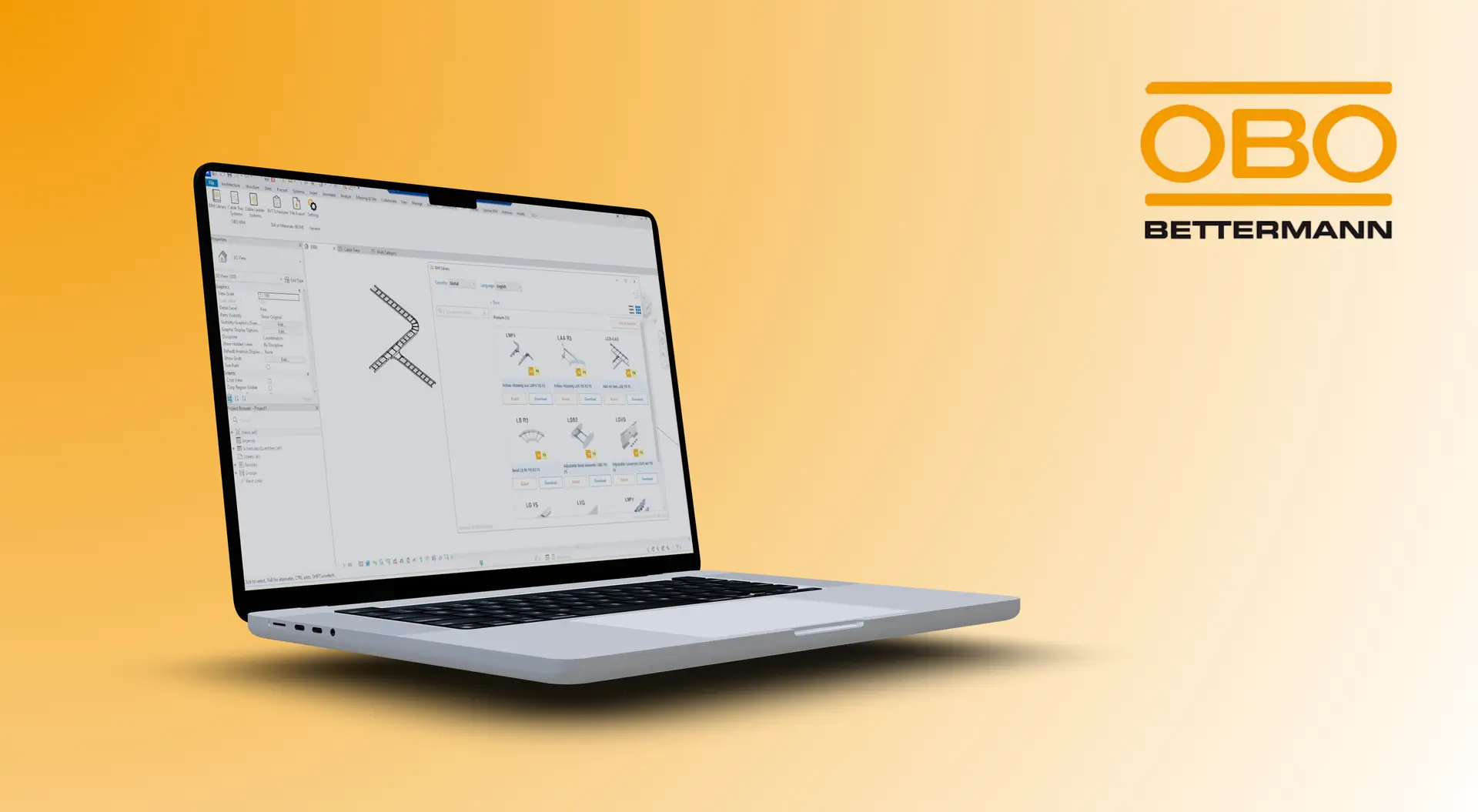
An example of a Revit add-on featuring a product configurator that we developed for OBO Bettermann
Calculations Related to Legal Requirements in the AEC Industry
New EU regulations in the construction sector, such as the Digital Product Passport (DPP) and the principles of the Circular Economy (CE), require manufacturers to provide detailed environmental data. In turn, engineers must incorporate this information into BIM models and their workflows, which can negatively impact the length of the design process.
However, these new requirements also present an opportunity for manufacturers – designers are more likely to choose solutions that provide a complete set of data directly within the design environment. If the required product information – such as carbon footprint data – is scattered (separate BIM objects, separate documentation, separate environmental data), using such products becomes less convenient and more time-consuming. Therefore, manufacturers should include this required data within BIM files to leverage the new requirements as an opportunity to boost sales.
An additional benefit for designers will certainly be an innovative BIM plugin for Autodesk Revit, which automates the analysis of environmental data directly within the model. This type of tool can read parameters assigned to products, aggregate them at the project level, and generate LCA reports automatically.
As a result, engineers can more efficiently meet regulatory requirements, and manufacturers can increase the market appeal of their products.
Are you a manufacturer in the construction industry looking to develop your own BIM plugin? Try our custom Autodesk development services and make it easier for designers to use your products!
In many companies, the process of preparing bills of materials still looks the same – the sales department must manually create documents (e.g., PDF or Excel), fill in data, correct it, and adapt it to the company’s branding before sending it out. With a higher volume of inquiries, this becomes time-consuming and error-prone.
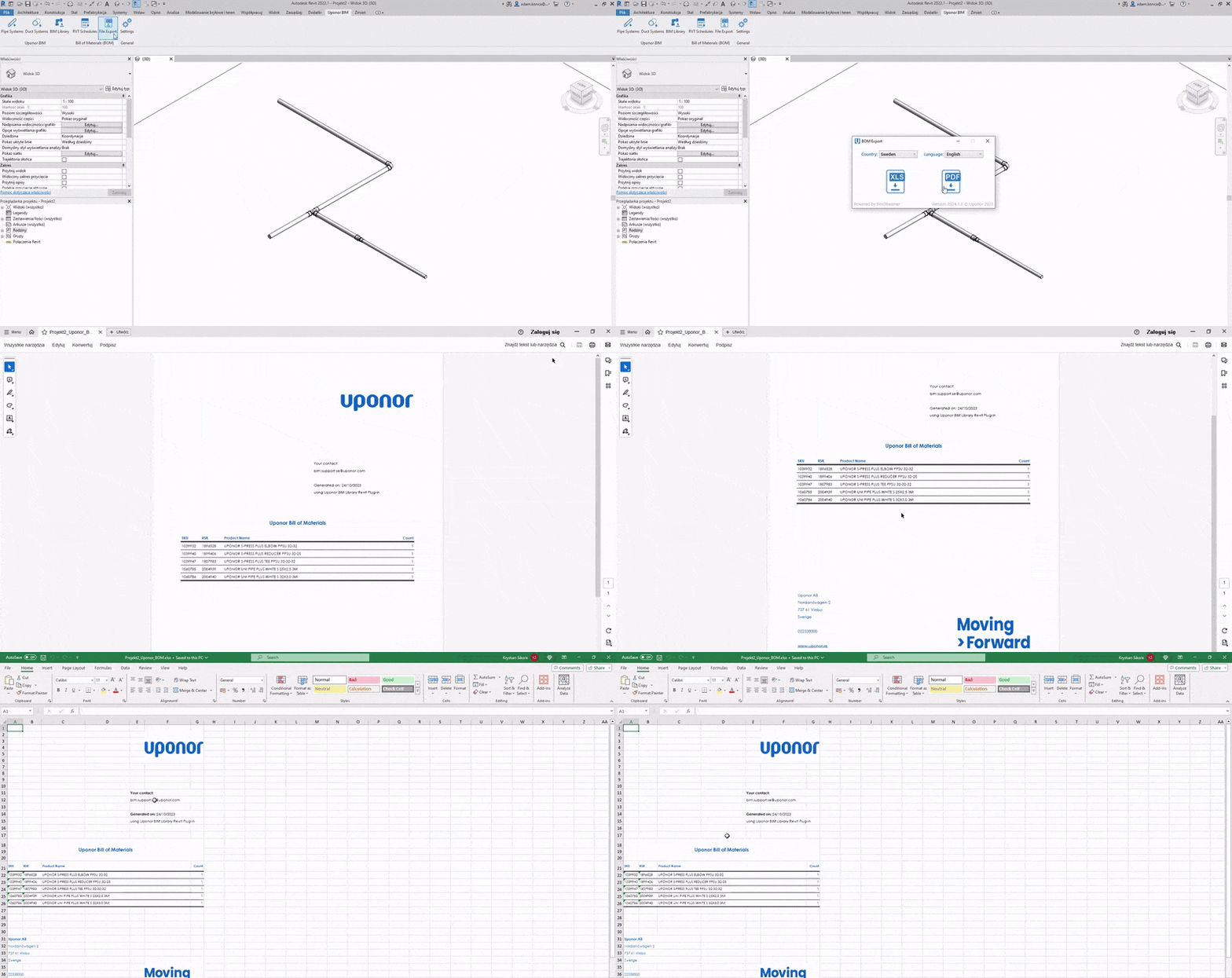
The Revit add-on allows you to fully automate this process. Based on the model, up-to-date bills of materials are created and automatically populated into a ready-made template – featuring the correct layout, data, and branding. Automatic BoM creation eliminates the need for manual work by the sales team, speeds up the preparation of quotes, and ensures document consistency. Thanks to Revit plugins, it is also possible to create branded Revit schedules.
The ability to generate material lists in PDF and Excel formats has been implemented in our client’s Revit plugin
Revit process automation also enables the optimization of material waste. Standard material lists present requirements in the form of raw values (e.g., linear meters of pipe), but do not account for how products are actually delivered to the construction site. An algorithm based on the dimensions of the packaging in which products are shipped can automatically convert these values into full packages, select optimal length combinations, and minimize material waste. Such automation in our project for Aliaxis reduced the margin of error for construction waste from 10% to 3%.
Połączenie z CRM i przesyłanie leadów
Integration with CRM and Revit lead generation
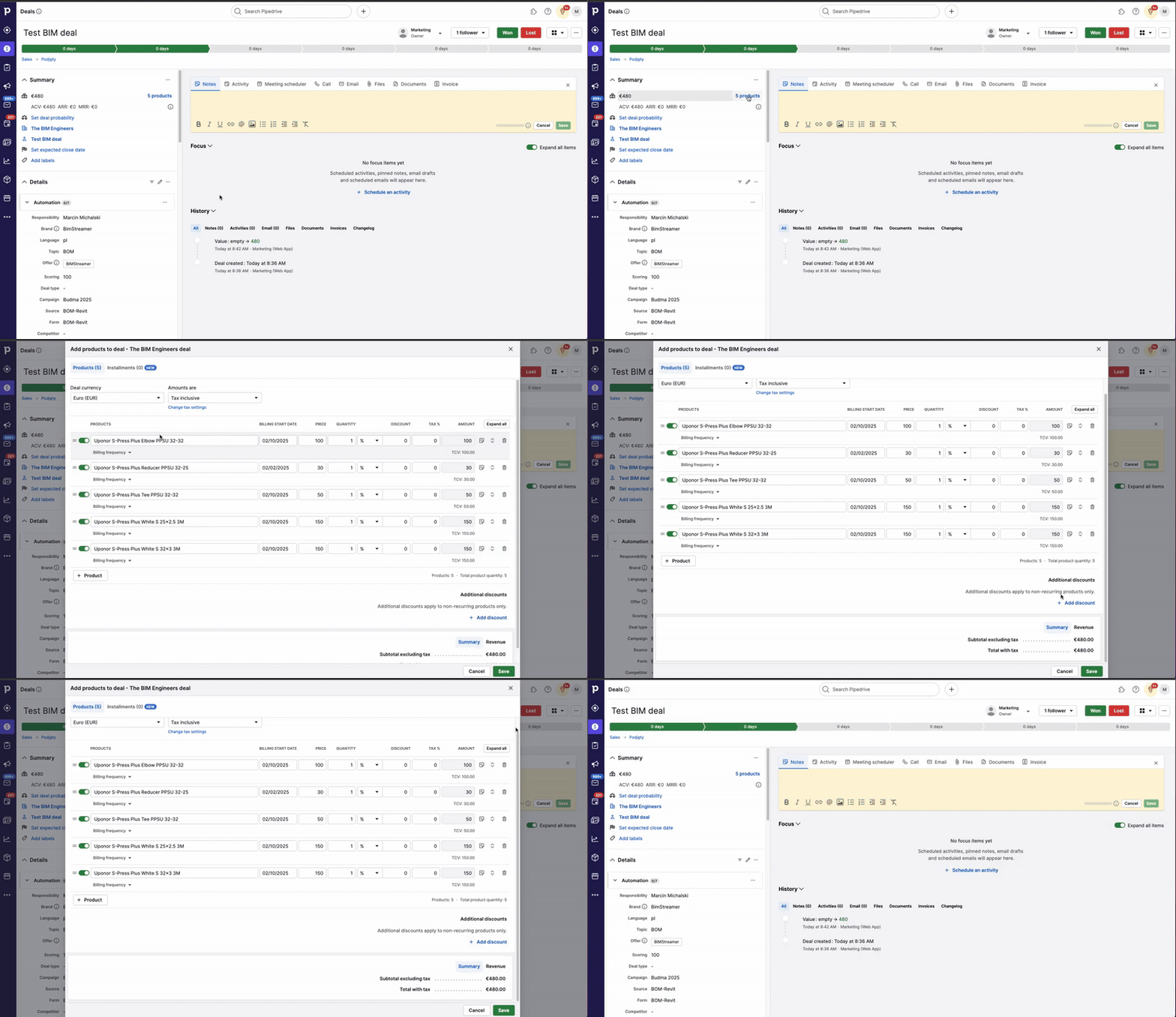
Customized Revit add-ins can be directly integrated with the manufacturer’s CRM system, opening up new possibilities in sales and lead generation. When a designer generates a bill of materials (BoM), the data from that file can be automatically transferred to the CRM – without requiring any additional action on the user’s part.
This Revit automation allows the manufacturer to monitor in real time which projects are using their products and on what scale. In practice, this means access to valuable sales information already during the design process, rather than only after it is completed.
Example of Revit process automation that sends leads to the Pipedrive CRM
This enables sales teams to respond more quickly and make more informed decisions regarding relationship management – such as reaching out to clients, preparing proposals, or offering preferential terms for larger orders. CRM integration thus provides tangible support for both sales and strategic process management within the company.
Case Study: Custom Autodesk Revit plugin for OBO Bettermann
We implemented the solutions described in the article – as well as many others based on BIM technology – for one of our clients, the building products manufacturer OBO Bettermann. The project involved creating a plugin tailored to the specific needs of complex installation systems. The company’s previous approach relied on thousands of static files and inefficient families, which made library management difficult. Additionally, selecting elements in Revit was time-consuming and often resulted in errors, and preparing material lists required manual work by the manufacturer’s sales department.
In response, we implemented a customized add-on using Revit API, that integrates the product library with the design tool and introduces intelligent configuration logic. Parametric models and automatic component matching allow users to quickly generate correct systems without the need for manual analysis of documentation. Additionally, the automatic generation of bills of materials and their export to standard formats eliminates errors and reduces the workload on sales teams. The entire solution significantly accelerates the design process while increasing the manufacturer’s control over data and how its products are used in projects.
Summing up, what features can manufacturers implement in their BIM Revit Plugins?
As we mentioned in the previous sections, the greatest benefits come from solutions that genuinely impact architects’ workflows – from integrating BIM libraries directly into the design environment, through product configurators and automatic component selection, to generating material lists and reports. Supplementing this type of automation with integration into CRM systems not only simplifies processes but also allows for better use of data and faster responses to market needs.
This approach translates into greater convenience when using the manufacturer’s products, fewer errors, and improved performance of technical and sales teams.
If you are a manufacturer in the construction industry, you can increase the appeal of your products today with a design software plugin. Contact us to schedule a free consultation with our specialist, during which you’ll receive a preliminary quote for your own BIM automation solution.
Join our newsletter
Subscribe and receive additional content, checklists and business automation tips from us.
Thank you for subscribing to our newsletter!
You will soon receive a welcome message at the email address you provided.
Oops! Something went wrong, failed to send the form.
Create your own Revit plugin with Sagiton
We help AEC manufacturers reach designers faster with customized plugins. Visit our Revit plugin development page to learn more about our services!
Is your customer service team not keeping up with current tasks? Read our article and learn how customer service automation enables companies to process requests faster and reduce the time to respond to inquiries.
Read more
Business automation
06.07.2026
automation-of-document-flow
Automation of electronic document flow in the company
Long contract processing, constant delays in signing orders or communication chaos in the administration department? Read our article and learn how implementing document flow automation in your company can improve your business processes!
Read more
Sales
06.07.2026
bid-management-automation-speed-up-your-offers
Bid Management Automation — how to speed up Offer Creation with AI
The process of creating offers is an integral part of acquiring clients in many industries, especially in the B2B sector. Read our article and learn how to speed up the sales process and respond to more inquiries at the same time, thanks to the automation of the creation of trade offers.
Read more
Contact us!
Select the topic you are interested in in the form and our specialist will contact you within 24 working hours.
Thank you for contacting us!
Your message has been successfully sent. We will reply as soon as possible.
Oops! Something went wrong, failed to send the form.