Read the article and find out what office activities are worth automating in order to realistically affect the quality and speed of work at your enterprise.
Under the term office process automation can be hidden several different meanings. For some entrepreneurs, this is simply the elimination of repetitive tasks that are performed by employees of each department in the company. With the help of the latest technologies and AI, we can optimize processes in such a way that they are performed faster and more efficiently. In this case, the term is actually synonymous with the term business process automation and means the implementation of improvements in all operational areas of the company.
It also happened that our potential clients asked about office automation, in the context of accounting offices. If you are interested in such automation, we invite you to read a dedicated article on this topic: https://www.sagiton.pl/en/blog/automation-and-ai-in-accounting
For the purposes of this article, we will slightly narrow the scope of office automation to the daily work of people from positions strictly associated with “office” — e.g. finance and administration. Thanks to the implementation of various types of software and AI solutions in this sector, processes such as signing contracts, sending emails or placing orders can now run partially or fully automatically. This significantly improves and speeds up the work of people in positions such as:
Office Assistant
Office Manager
Administration Specialist
Office Coordinator
Accounting Specialist
Financial Controller
Financial Analyst
HR Specialist
Payroll Specialist
You will read more about what office activities you can automate in the next paragraph.
Do you want to start implementing office automation? Contact us and arrange a free consultation!
Basic processes that can be automated in a company
We can automate work in the office in different ways. With the help of automated systems, above all we can optimize processes that require a lot of repetitive activities. These include, among others:
creation of reports and reports
invoicing
document management — circulation of contracts and invoices
downloading and categorizing files from email
calculation of salaries
Streamlining these and other manual processes in the office makes administrative professionals and accountants, reclaiming time, which they can then devote to solving more complex problems.
All the processes mentioned above can be optimized using automation tools such as n8n, Make or Zapier. In more advanced processes, it is also possible to increase the efficiency of employees with the help of artificial intelligence (AI). We will write about this in the next paragraph.
What to choose office work automation with or without AI?
To know which type of automation to choose, you need to understand the difference between artificial intelligence solutions and standard ones. Classic automation is based on rigid rules and scenarios — it works great there, where processes are predictable and repetitive, such as issuing invoices or generating standard financial reports
Scheme of automation of office processes without the use of AI (using n8n)
In turn, the automation of office work with AI allows you to go beyond these limitations, since such systems, can analyze data, understand the context and adapt to changing conditions. In practice, this means, for example, automatic recognition and classification of accounting documents, analysis of the content of emails from counterparties or detection of irregularities in settlements.
In the area of administration, AI can support document flow management, extract key information from contracts or even suggest actions based on past data. In finance, on the other hand, automation of office work with the use of AI can help in cost forecasting, liquidity analysis or support operational decision-making. The choice between these approaches therefore depends on the complexity of the processes — the more data and variables, the more AI makes sense. However, with such optimization of processes, it is also necessary to keep in mind some limitations, such as maintaining the confidentiality of data, which await us when implementing artificial intelligence. You can read more about this topic in our article: https://www.sagiton.pl/en/blog/the-most-common-mistakes-while-implementing-ai-automation
What is the cost of implementing business process automation?
The cost of automation depends primarily on the complexity of the process, the number of systems and the level of business logic that needs to be implemented. It is worth noting that classic automation (without AI) is usually cheaper because it does not require additional security and controls — for AI solutions, it is necessary to implement additional precautions, especially in areas such as finance and administration, where sensitive and sensitive data are processed.
Simple automations, eliminating a tedious, repetitive process (e.g. sending financial documents or document flow), start from around €1 200 and allow for a quick reduction in working time and the risk of errors. Medium-sized projects, involving integrations of several systems, more extensive rules and reporting, are usually cost from €5 000 to €25 000, and their effect is a clear improvement in the quality and efficiency of work. The most advanced implementations, covering multiple departments and complex workflows, may exceed € 25 000 PLN, but they offer the greatest cost reduction in the long run.
If you have a process in your office that is time-consuming or problematic and you want to optimize it — contact us, we will analyze it free of charge and suggest the best solution.
Examples of integrations we have implemented for our clients
As Sagiton Automation, we help companies improve their daily work and reduce costs with well-designed automation systems. Our solutions accelerate processes, eliminate errors and allow teams to focus on more important tasks. In the following paragraphs, we will describe our two real case studies in the field of office process automation.
Automation of the onboarding process
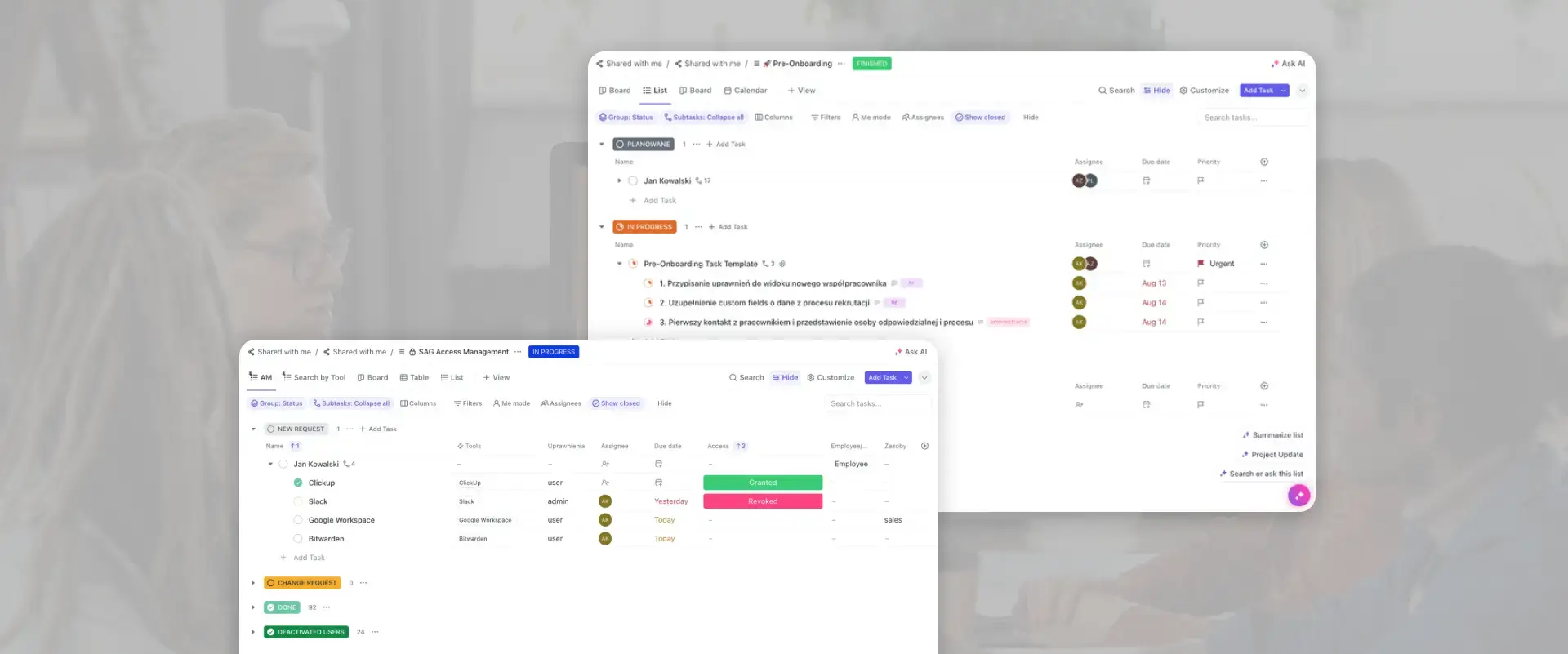
The client was an IT company, which was dynamically increasing employment and faced chaotic manual onboarding. The process was tedious, distributed among different teams and prone to errors — from collecting feedback, to broadcasting access, to managing equipment. The lack of standardization meant that each new employee was onboarded differently, and HR did not have full control over the progress.
We have created a comprehensive, automated system, including, among others, periodic feedback surveys, automatic access broadcasting and equipment management with document generation. In addition, we have created standardized checklists and dashboards to monitor progress in real time. The effect was significant time saving for HR, improving the quality of the process and greater transparency at every stage of onboarding.
Booking management system
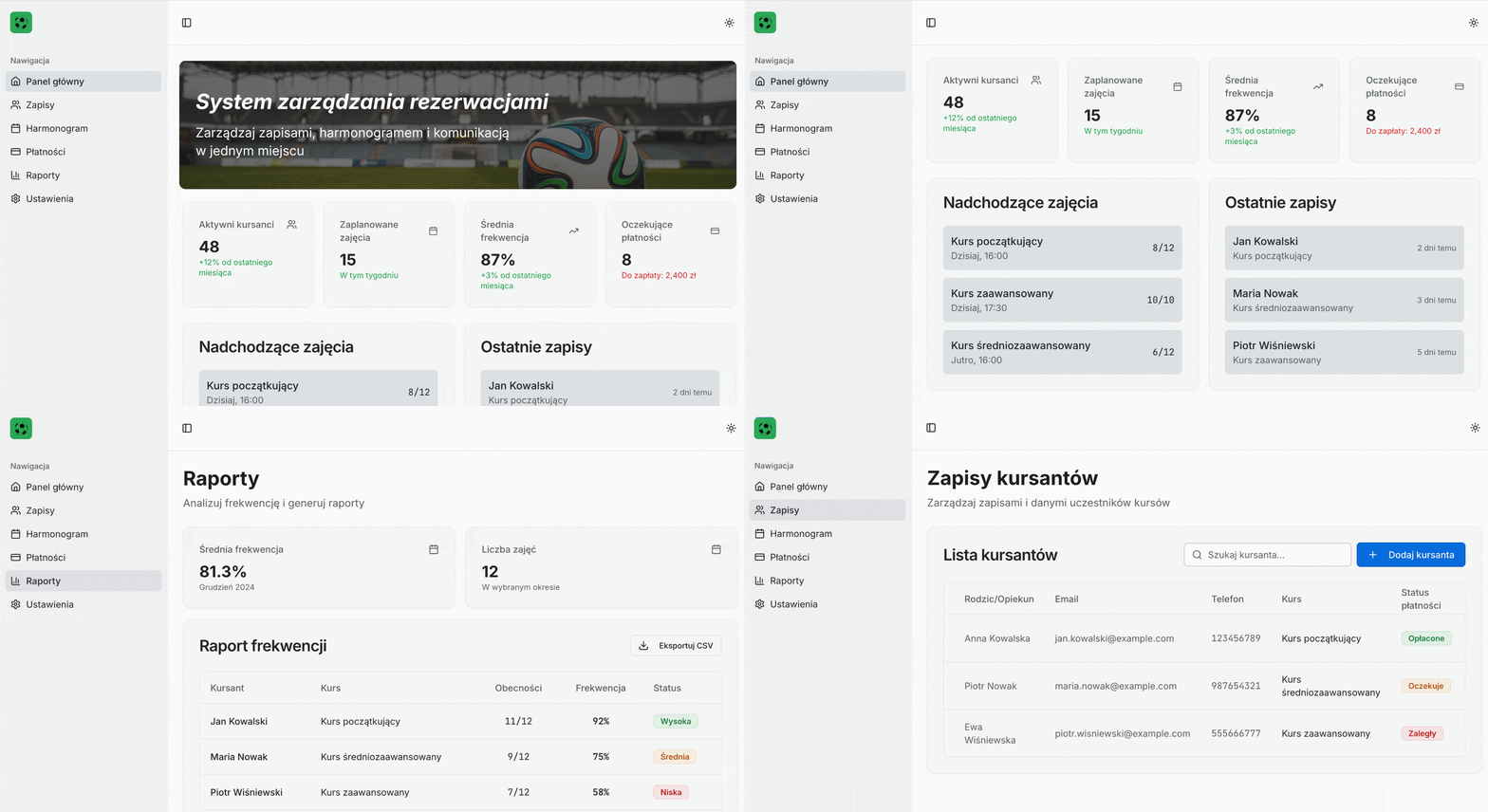
The sports company struggled with an inefficient sign-up process based on phones and messages. This was a time-consuming and cumbersome solution — coaches wasted many hours on manual schedule management, and clients did not have convenient access to available appointments. In addition, there was a lack of data on attendance, which hindered business development.
We have created a dedicated no/low code app, where the entire booking process now takes place – from registration through the form on the website, to the management of the schedule and payments. Thanks to this, it was possible to automate office processes consisting of collecting requests, updating the schedule and generating attendance reports in real time. The application is designed as a scalable solution, ready for further expansion.
Summing up what automation gives in everyday tasks
As you can see, the automation of office processes brings tangible benefits — from saving time and budgets, to reducing errors and improving the quality of work of teams. Whether you opt for simple automation or more advanced solutions using AI, a well-designed deployment really affects the effectiveness of the organization. This allows companies to focus on growth, rather than tedious, repetitive office processes.
If you are interested in using automation and AI in your enterprise — contact us, we will help you choose the best solution and we will quote it for free.
Join our newsletter
Subscribe and receive additional content, checklists and business automation tips from us.
Thank you for subscribing to our newsletter!
You will soon receive a welcome message at the email address you provided.
Oops! Something went wrong, failed to send the form.
Start automating office processes with Sagiton
At Sagiton, we help our clients by implementing digital process improvements. Contact us, arrange a free consultation with our specialist and learn how to use technology in everyday tasks.
Automation of electronic document flow in the company
Long contract processing, constant delays in signing orders or communication chaos in the administration department? Read our article and learn how implementing document flow automation in your company can improve your business processes!
Read more
Business automation
06.07.2026
where-to-start-automation-of-business-processes
Business Process Automation in your Company — where to start?
Business process automation is a topic that is gaining importance among entrepreneurs who want to increase work efficiency. Read the article and learn how business process automation can help your team with everyday tasks.
Read more
Sales
17.09.2026
sales-reporting
Sales reporting — how to reduce the time to create reports?
Read our article to learn how to implement effective sales reports that your team won't have to spend tens of hours a month on preparing.
Read more
Contact us!
Select the topic you are interested in in the form and our specialist will contact you within 24 working hours.
Thank you for contacting us!
Your message has been successfully sent. We will reply as soon as possible.
Oops! Something went wrong, failed to send the form.



%20(1).webp)
.webp)

-p-1600.webp)
.webp)

